
OBS has no echo or reverb filter, so adding space to your singing on stream means adding a VST plugin. Most studio reverbs have a lot of knobs, though, and they are hard to set while you are live.
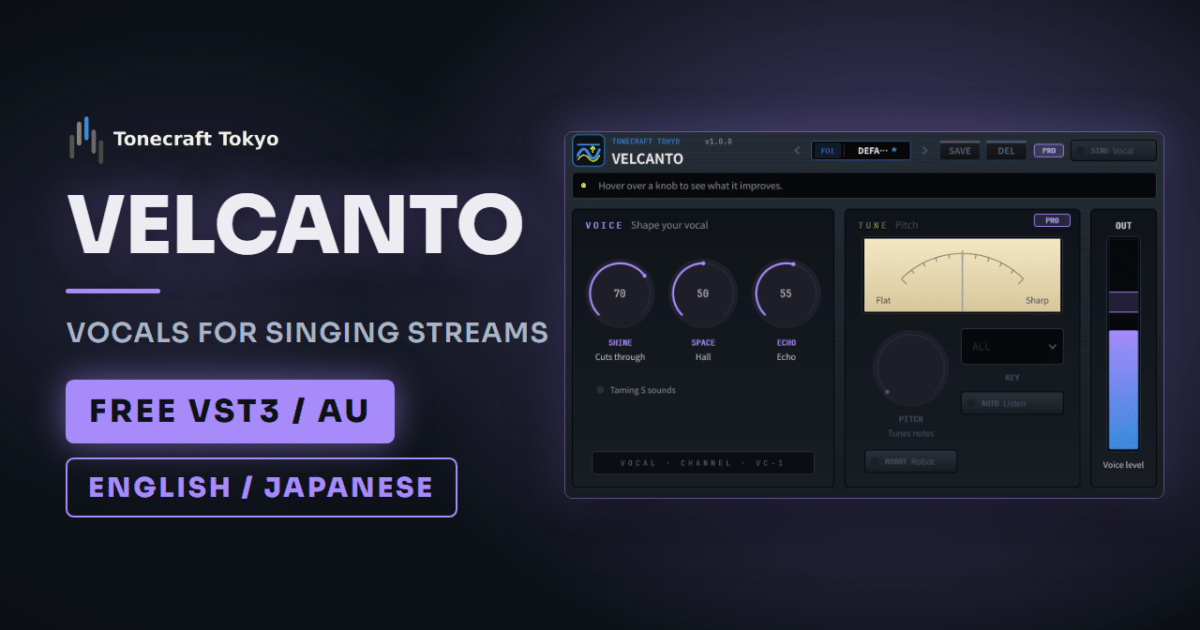
VELCANTO is a free vocal plugin we made for streamers who sing. It has three knobs: SHINE, SPACE (reverb) and ECHO.
- Echo for a karaoke feel, reverb for a bigger space. Go easy on echo in fast songs
- You can barely hear the effect while singing, so set the amount from a recording
- When you stop to chat, turn the filter off and talk in your natural voice
Echo or reverb?
Echo repeats your voice, like the familiar karaoke sound. Reverb is the sound of a hall or church, a space around your voice.
| Song | What to add | In VELCANTO |
|---|---|---|
| Ballads, slow songs | Longer reverb | Preset BALLAD |
| Fast songs, busy backing tracks | Little reverb, voice up front | Preset UPTEMPO |
| Karaoke-style singalongs | Echo | Preset KARAOKE |
In a fast song, the echo of one word lands on the next and the lyrics get hard to follow. Keep ECHO low and add just a little SPACE.
If the backing track buries your voice, turn up SHINE before adding more space. The more space you add, the further away your voice sounds.
Avoid too much: listen to a recording
While you sing, you hear your own voice through your head and the room, before it reaches the mic. You hear almost none of the effect, so it feels like too little and most people turn it up too far. Viewers then hear a distant voice that sounds like it was recorded in a bathroom.
- Play the backing track at stream volume, sing one verse and chorus and record it
- Listen back on earbuds, the way viewers do
- If the lyrics are hard to follow or your voice sounds far away, lower SPACE and ECHO
You can hear the effect live with OBS audio monitoring (“Monitor and Output”), but it arrives with a slight delay, so it is hard to sing along to. Use it only while adjusting.
Talk in your natural voice
Talking with echo on makes you hard to understand. When a song ends, click the eye icon next to VELCANTO in the OBS filter window to turn it off, and turn it back on before the next song.
If you want your talking voice shaped too, put VELVOX before VELCANTO. VELVOX stays on when you turn VELCANTO off, so your talking voice sounds the same as on a regular stream. Since PRESENCE in VELVOX already brings your voice forward, set SHINE below its default of 40 and adjust from a recording. The full chain is in OBS Mic Filter Order.
Before you add it to OBS
VELCANTO is VST3, so the built-in “VST 2.x Plug-in” filter can’t load it. Add it through the free atkAudio Plugin for OBS (OBS Studio 31.1.1 or later). Setup is on the product page and in the manual, and OBS setup is in How to Use VST3 Plugins in OBS Studio.
The free version adds no latency, so your singing stays in sync with your webcam.
You only need Pro if pitch bothers you
VELCANTO Pro is for singers who notice long notes in the chorus drifting a little. PITCH pulls only drifting notes toward the nearest pitch and leaves in-tune notes and your inflections alone. When a song ends, the SING button switches back to your natural voice, so you don’t have to click the eye icon after every song.
The catch is about 30 ms of latency while it detects pitch. If the lag behind your webcam bothers you, add a “Video Delay (Async)” filter to the camera source and set it to 30 ms.
If you would rather choose the kind of room, our free ENCOREHALL is also made for singing streams. Its TALK button lets the last note ring out while you start chatting.
Download
If your mic picks up air conditioner or PC fan noise, remove it before adding space, for example with SILENTIQ. Otherwise the noise gets reverb too and stands out more.