The TB-303 sound comes from a few things working together: a resonant filter swept by a short envelope, accented notes that hit harder and brighter, and slides that glide between notes. Every plugin below has all of that, plus a step sequencer to write the line. All five are free, with no trial or demo limits.
- To program it like the original hardware, with pattern and track modes: DW-303
- Open source with CLAP and LV2, including Linux: JC303
- To generate basslines in key automatically: ACID-O (VST3 only) or SQUELCRUDE (VST3 / AU)
- Eight patterns and hundreds of presets: Replicant303
5 free 303 plugins compared
| Plugin | Formats and OS | Sequencer |
|---|---|---|
| JC303 (midilab) | VST3, AU, CLAP, LV2. Windows x64, macOS (Intel and Apple Silicon), Linux x64 | 16 steps with accent, slide and tie |
| DW-303 (DJW Audio) | Mac: VST3, AU, AAX, CLAP, LV2, standalone. Windows: VST3, CLAP, standalone. Linux: VST3, LV2, CLAP, standalone | Pattern and track write modes like the original panel. Four pattern groups and seven tracks |
| Replicant303 (DanimanX Studio) | VST3, AU, standalone. macOS, Windows, Linux | 8 × 16 patterns, 512 presets |
| ACID-O (Mad House Audio) | VST3. macOS 11 or later, Windows 10 or later (64-bit) | 64 steps, randomizer with five genre profiles |
| SQUELCRUDE (Tonecraft Tokyo) | Windows: VST3, standalone. Mac: VST3, AU, standalone. Windows 10 / 11, macOS 11 or later | 16 steps, RANDOM in 12 scales, cutoff lane |
Based on each maker’s official page or GitHub repository as of November 2026.
JC303
Open source. The sequencer can sync to your DAW’s tempo, run on its internal clock, or follow MIDI clock. A VST2 build isn’t distributed; you’d have to compile it yourself. GitHub
DW-303
You enter the notes first, then their rhythm, and chain patterns into tracks. It comes with factory patterns, so it plays as soon as you press Run/Stop. The Windows installer isn’t code-signed yet, so SmartScreen may warn you. Official site
Replicant303
Comes with two panel skins and a distortion section. Presets can be saved as .midi files that carry the whole patch. GitHub
ACID-O
The randomizer writes whole patterns in key and scale, using one of five genre profiles. You can lock panels so the randomizer won’t change them. There is no AU version, so Logic users can’t load it. Official page
SQUELCRUDE
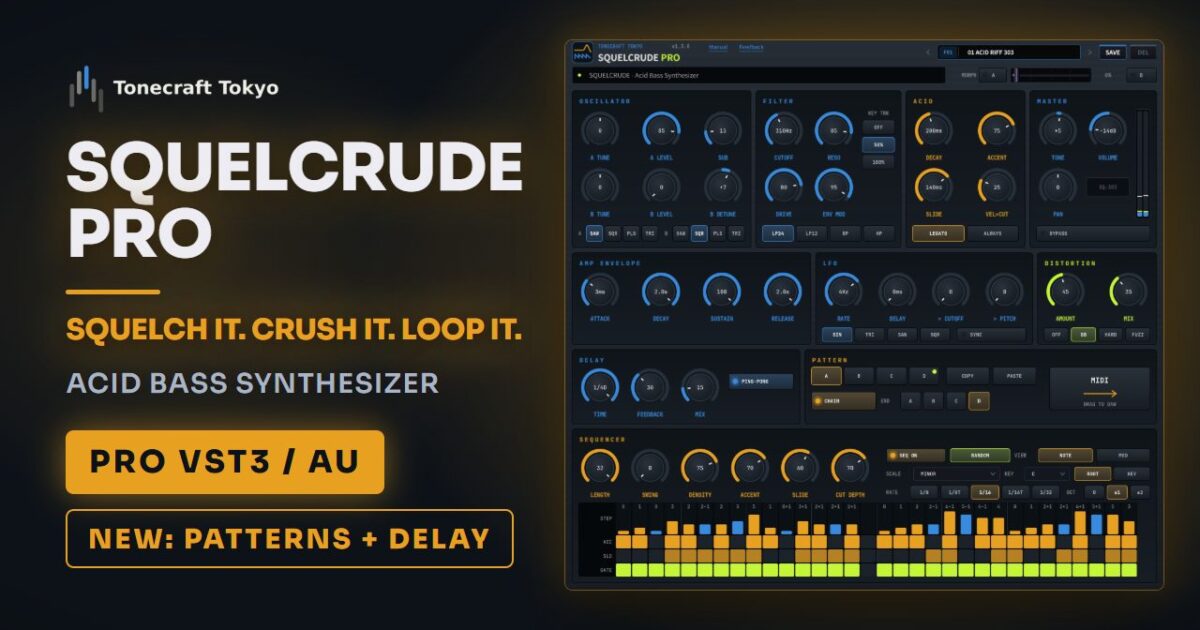
We make this one. Press SEQ ON, press RANDOM, hold a note, and a phrase in your chosen key and scale plays in time with your DAW. Press RANDOM again until you hear a line you like. It also has a sub oscillator, an LFO and three distortion types, and you can draw the cutoff for each step. The free version has one 16-step pattern. A Pro version adds four patterns of up to 32 steps and MIDI drag-out. SQUELCRUDE download page
Accent and slide: how to trigger them
When you play these synths from MIDI instead of the built-in sequencer:
- Accent: SQUELCRUDE treats a note with velocity 100 or higher as an accent. JC303 does the same when you record steps from a MIDI keyboard, and Replicant303 when it maps MIDI notes onto its grid
- Slide: in SQUELCRUDE, a note slides when it starts before the previous one ends. JC303 records a slide the same way when you record steps from a MIDI keyboard
Most of the squelch comes from the filter envelope. Start with cutoff low and resonance high, then raise the envelope amount (ENV MOD) until the line opens up, and shorten the decay to make each note snappier.