A peak meter tells you whether a track clips. It doesn’t tell you how loud the track sounds, and that is what streaming services measure. Spotify turns every track up or down to the same loudness, so a master that looks loud on a peak meter can still end up quieter than you expected.
A LUFS meter shows loudness the way those services measure it.
- For most people, the free version of Youlean Loudness Meter 2 shows every number you need, including true peak
- Spotify plays tracks at -14 LUFS integrated and recommends keeping true peak below -1 dBTP
- To see how far you are from that target without doing the math, use SCOPE2. The free version of Youlean can’t set a loudness target
What the numbers mean
- Integrated: the average loudness of everything you played since you pressed reset. This is the number to compare with a streaming target
- Short-term: the loudness of the last 3 seconds. Use it to compare sections, such as a verse and a chorus
- Momentary: the loudness of the last 0.4 seconds. It moves too fast to judge a whole song by
- LRA (loudness range): how much the loudness changes across the track. A heavily limited master has a small LRA
- True peak: the highest level of the waveform between samples, in dBTP. It can be higher than the sample peak your DAW meter shows
What Spotify asks for
From Spotify’s loudness normalization page:
- Tracks are adjusted to -14 LUFS (ITU 1770). A louder master is turned down
- A quieter master is turned up only as far as its peaks allow. Spotify leaves 1 dB of headroom, so a track at -20 LUFS with a true peak of -5 dBFS is lifted only to -16 LUFS
- Keep true peak below -1 dBTP. If your master is louder than -14 LUFS, keep it below -2 dBTP
4 free LUFS meters compared
| Meter | What it shows | Formats | Limits of the free version |
|---|---|---|---|
| Youlean Loudness Meter 2 (Youlean) | Integrated, short-term, momentary, LRA, true peak, loudness graph | VST2, VST3, AU, AAX, standalone app. Windows 7 or newer, macOS 10.13 or newer | No streaming presets, no custom loudness target, no file analysis or export |
| dpMeter5 (TBProAudio) | Integrated, short-term, momentary, LRA, true peak (EBU R128), plus RMS and dialog-gated modes | Windows: VST2, VST3, AAX, CLAP. Mac: VST2, VST3, AU, AAX, CLAP | None stated |
| MLoudnessAnalyzer (MeldaProduction) | Integrated, short-term, momentary, LRA, peak meter | VST, VST3, AU, AAX. Windows and Mac, 64-bit only | Comes in MFreeFXBundle. No preset saving or resizing, and a reminder box in the window |
| SCOPE2 (Tonecraft Tokyo) | Integrated, short-term, momentary, LRA, true peak max, plus waveform, RMS, peak and Lissajous views | Windows: VST3. Mac: VST3, AU. Windows 10 / 11, macOS 11 or later | None. There is no paid version |
Based on each developer’s official pages as of November 2026. MeldaProduction lists a peak meter but doesn’t mention true peak.
Youlean Loudness Meter 2
The free version shows all the numbers above and draws a graph of loudness over time, which makes it easy to spot the section that pushes the integrated value up. Official page
dpMeter5
A multichannel meter with three modes: RMS, EBU R128 and dialog-gated loudness for speech. It is the only one of the four that supports CLAP. Official page
MLoudnessAnalyzer
Part of MeldaProduction’s free bundle of 38 effects, so you get a lot of other tools with it. The free bundle shows a reminder box in every plugin window until you upgrade. Official page
SCOPE2
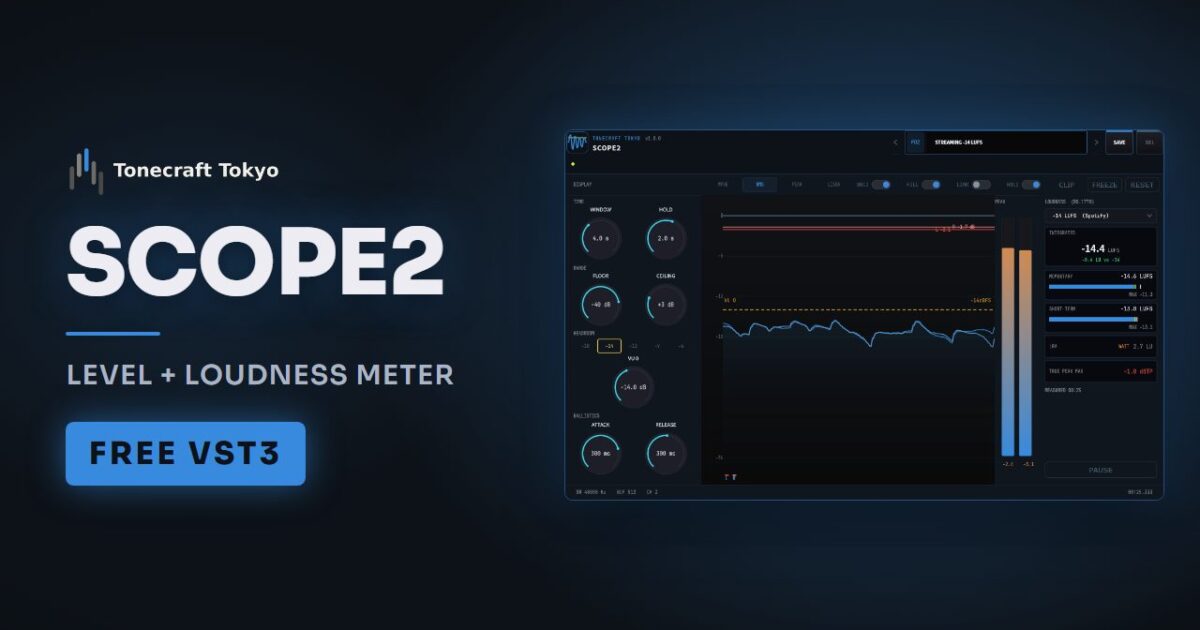
We make this one. Pick the -14 LUFS (Spotify) or -23 LUFS (EBU R 128) target and SCOPE2 shows how far the integrated value is from it, for example +2.3 LU, and turns the true peak readout red when it goes over -1 dBTP. The same window shows the waveform, so you can see which section is loud. SCOPE2 download page
How to measure a master
- Put the meter last on the master bus, after the limiter
- Press reset, then play the song from start to finish
- Read the integrated value. Compare it with -14 LUFS for Spotify
- Check true peak. If it is above -1 dBTP, lower the limiter’s ceiling
If you stop halfway, the integrated value covers only the part you played.
If your mix is clipping before it even reaches the master, the problem starts earlier, at track level. See Gain Staging.