A kick drum has a pitch. After the transient, its low end settles on a note and sustains there for a moment. If that note isn’t in your song’s key, the kick and the bass fight in the low end, and turning one of them down doesn’t fix it. Tuning the kick to the song’s key does.
- Read the kick’s note from its body, not the transient, with a tuner or spectrum analyzer
- The safe choice is the root note of the key. The fifth also works
- Pitch-shifting a whole sample also changes its attack and length. To keep the attack, retune only the low end
Find the kick’s note
Insert a tuner plugin or a spectrum analyzer on the kick track and play one hit. The transient has a fast downward pitch sweep, so skip it and read the note where the body settles. On a spectrum analyzer, that is the fundamental, the lowest strong peak.
Some kicks don’t have a clear pitch: short, clicky kicks, or ones with more noise than tone. These clash less, so you can leave them alone.
Which note to tune to
Start with the root note of the key: E for a song in E minor. If the root sits too low for the kick you want, try the fifth (B in E minor).
If the bass mostly plays one note, tuning the kick to that note keeps the low end steady. If the song changes key, tune to the note that works in the section where the kick matters most, usually the chorus.
Retuning a sample: the problem
The quick way is to transpose the kick sample in your sampler. Within a semitone or two this usually works. Beyond that, the whole sample changes with it: pitched up, it gets shorter and clickier; pitched down, the attack gets slower and softer.
Tuning with KICKGRAFT
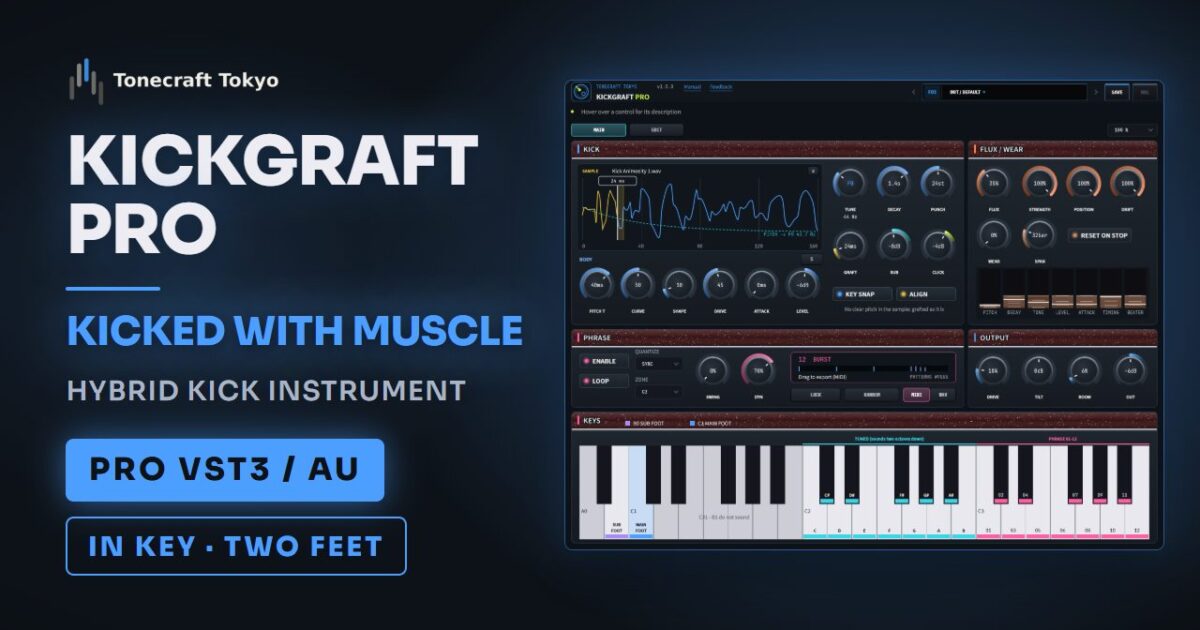
KICKGRAFT is our free kick instrument for Windows (VST3) and Mac (VST3 / AU). It plays only the transient of your kick sample, the moment the beater hits, and hands over to a synthesized body and sub at a pitch you choose.
- Insert KICKGRAFT on an instrument track and drop your kick sample on the waveform display in the KICK panel
- Turn TUNE until the note name inside the knob matches the note you picked
- Set GRAFT, the point where the sample hands over to the body, short: 10 to 30 ms
- Play C1. Move your kick MIDI notes there and mute the original kick track
When you load the sample, KICKGRAFT detects its pitch and retunes it to TUNE if the pitch is clear. ALIGN phase-aligns the body with the sample at the transition point, so the low end doesn’t suffer phase cancellation. KEY SNAP snaps TUNE to semitones; turn it off to fine-tune.
For 808-style parts where the kick plays the bass line, use the keys C2 to B2. Each key plays the kick at that pitch.
When the kick and bass still clash
Tuned to the same note, the kick and bass can still build up in the low end when they hit at the same time:
- Shorten the kick with DECAY so it ends before the bass note comes in
- Duck the bass under the kick with a sidechain compressor on the bass
KICKGRAFT Pro has a TRIGGER output for that sidechain: a short pulse at a fixed level on every kick, so the bass ducks by the same amount regardless of velocity. Pro also has a SUB output that carries only the sub, so you can process the low end on its own track. The full feature list is on the product page, and every control is in the manual.